Tickets
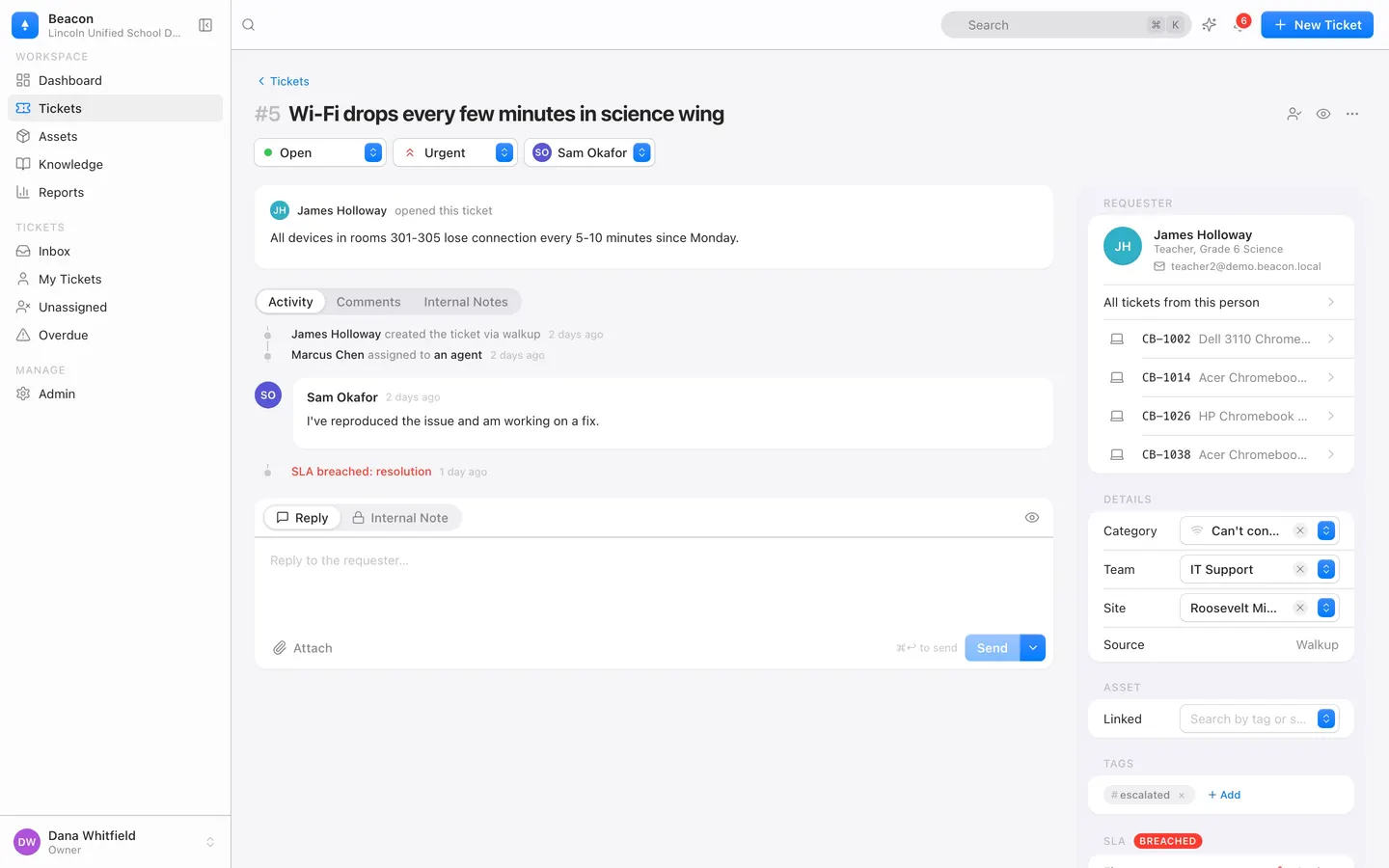
Every ticket arrives sorted.
Category, priority, team, duplicates, and a matching article, each with a confidence score. Confirm with one click, edit, or ignore.
- AI never closes a ticket, replies on its own, or lowers a safety-flagged priority.
- Suggested replies, handoff summaries, and a draft article from any resolved ticket.
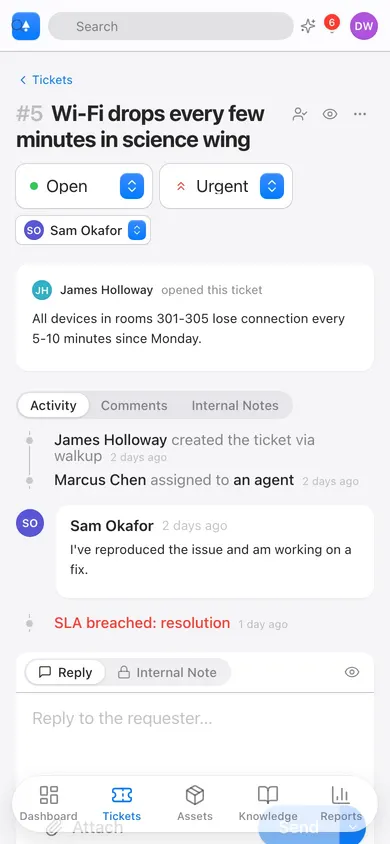
- Four priorities, watchers, internal notes, bulk updates. Attachments up to 25 MB.
Any AI feature switches off in Settings. No ticket is ever blocked on AI.
Knowledge base and portal
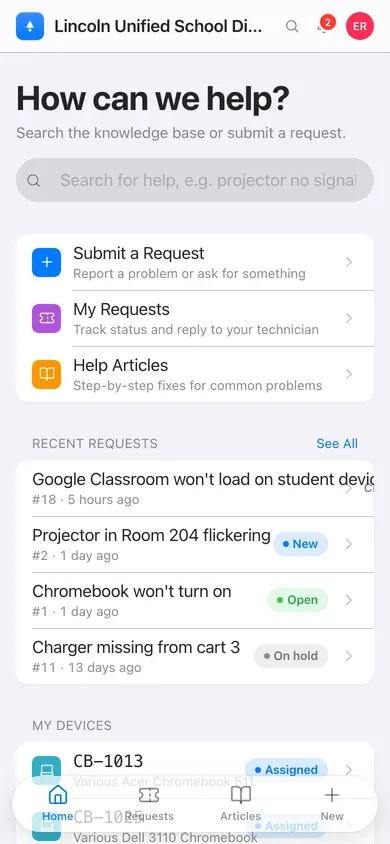
The fix appears before the ticket does.
Matching articles appear while staff type a request. Many never press submit.
- Draft and published articles, internal or public, by category and tag.
- View counts and helpful votes show what works.
- Requesters submit, track, and rate their requests.
Devices and 1:1 programs
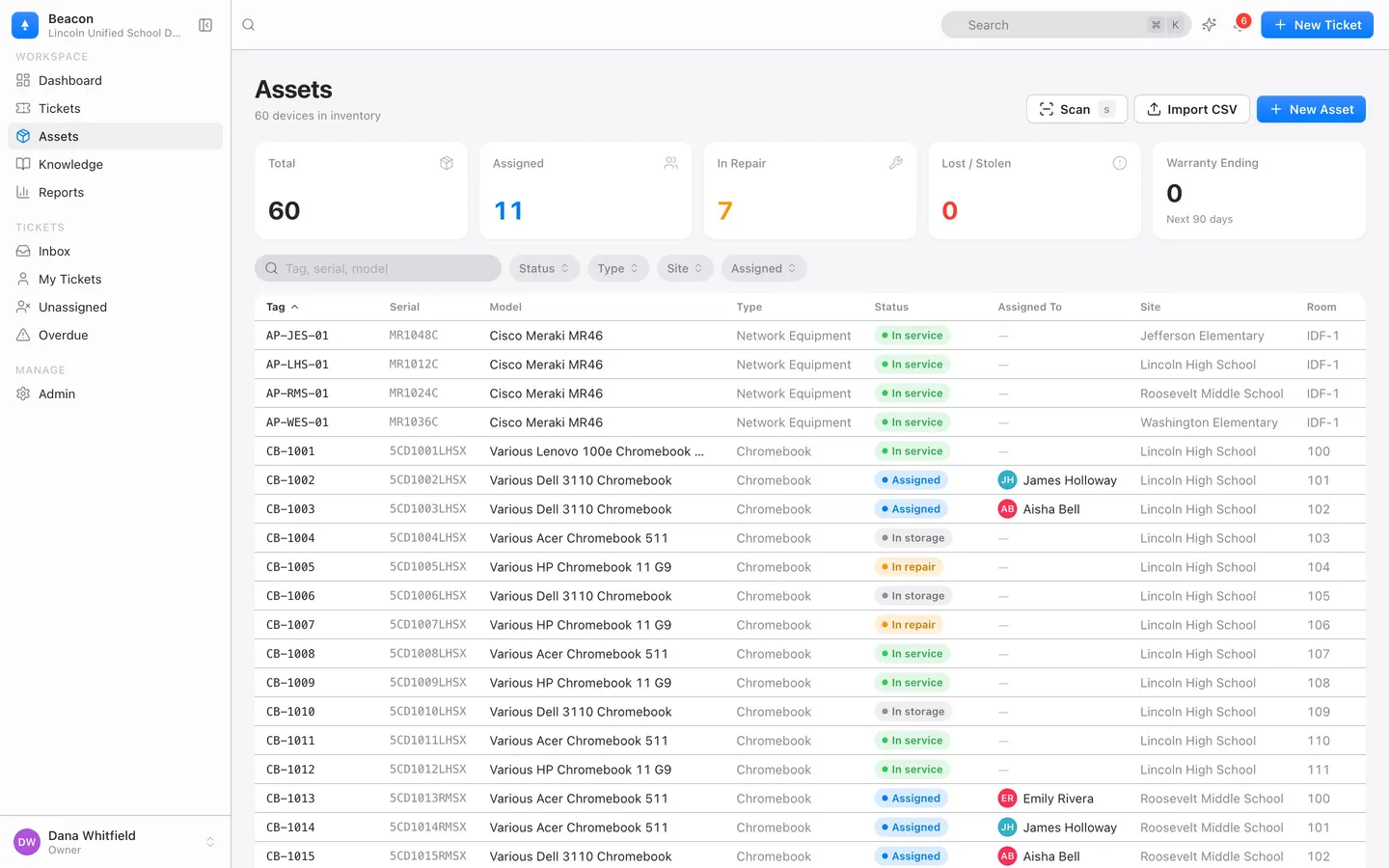
Every device has a story.
Scan a tag: who has it, its history, its warranty, every ticket about it. Check out, check in, swap a loaner.
- Any asset type with custom fields. Cost, warranty, funding source, vendor.
- Import up to 5,000 rows per file by tag or serial. Re-runs update, never duplicate.
- Chromebooks from Google Admin, devices from Microsoft Intune and Mosyle Manager, read nightly, read-only. Google · Intune · Mosyle.
- Barcode and QR scanning from the iOS app (in testing on TestFlight): Code 128, QR, Code 39, Code 93, Data Matrix.
- Chromebook asset management and asset labels on Dymo, Brother, and Avery stock.
Facilities and HR requests
One inbox for every building request.
Work orders, keys, and new-hire setup run on the same engine as IT tickets, with their own forms and queues.
- Preconfigured Facilities team and category: HVAC, plumbing, electrical, custodial, keys and doors, grounds.
- HR requests route to an HR team.
On every plan, Starter included. What the facilities module is, and is not.
SLAs and business hours
Due, not noisy.
First-response and resolution targets per priority. Technicians see what is due. Reports show what was met.
- Business hours or around the clock, in your time zone.
- Warnings and breaches trigger automations.
- Two starter policies: Standard on business hours, Classroom Down around the clock.
Automations
Rules, not busywork.
Build a rule in a form, test it on a real ticket, turn it on.
- Triggers: ticket created, updated, resolved, comment added, SLA warning or breach.
- Actions: assign, set priority or status, tag, note, notify, webhook.
- In order, once per event, with loop protection.
Saved views
Your queue, the way you work it.
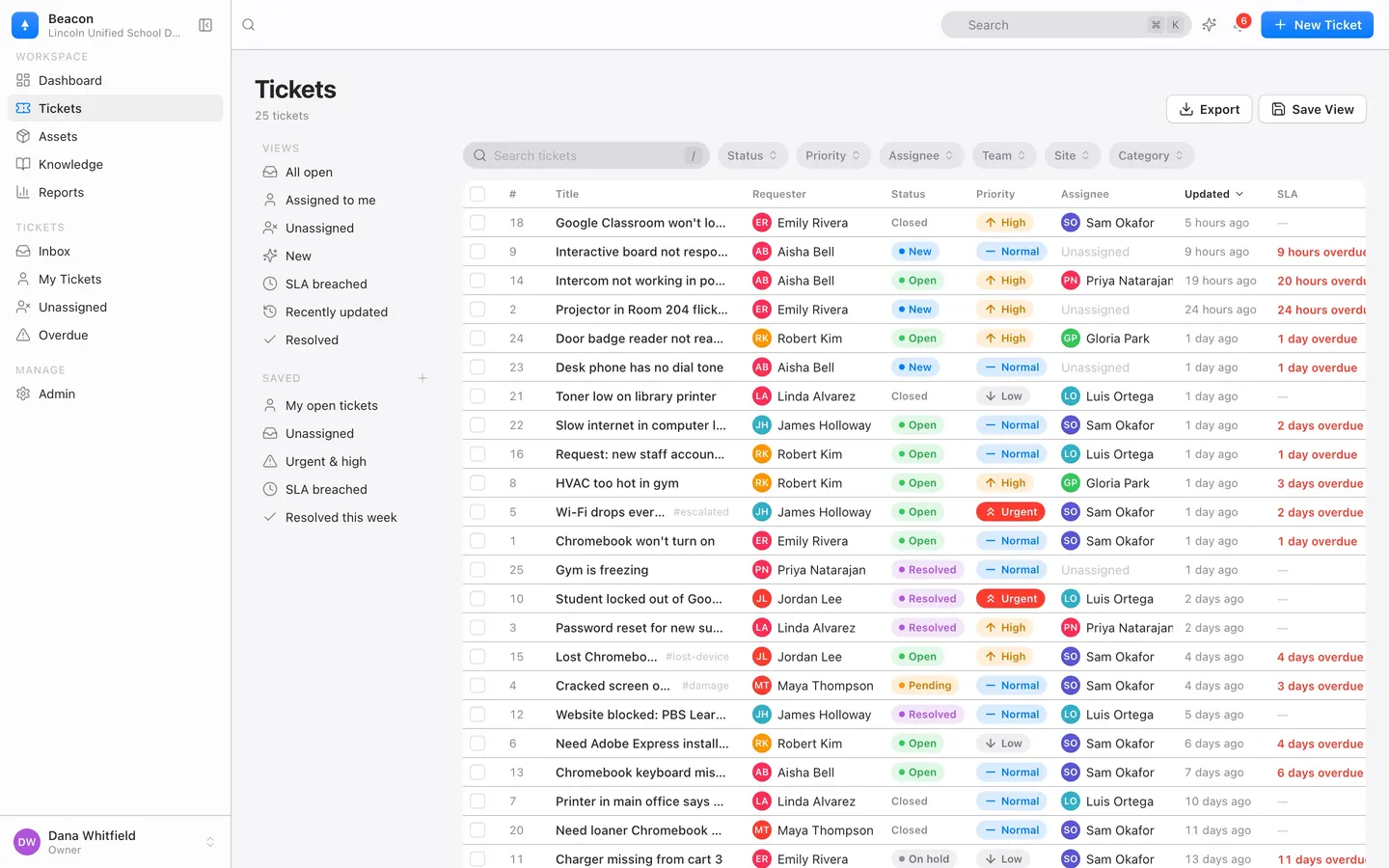
Filter, sort, save. Share it or keep it.
- Five built in: My open tickets, Unassigned, Urgent & high, SLA breached, Resolved this week.
- J and K to move, Enter to open, X to select, ⌘↩ to reply.
Reports
Ask a question. Get a report.
Plain English in, a sentence and a table out. Safe query, never raw SQL.
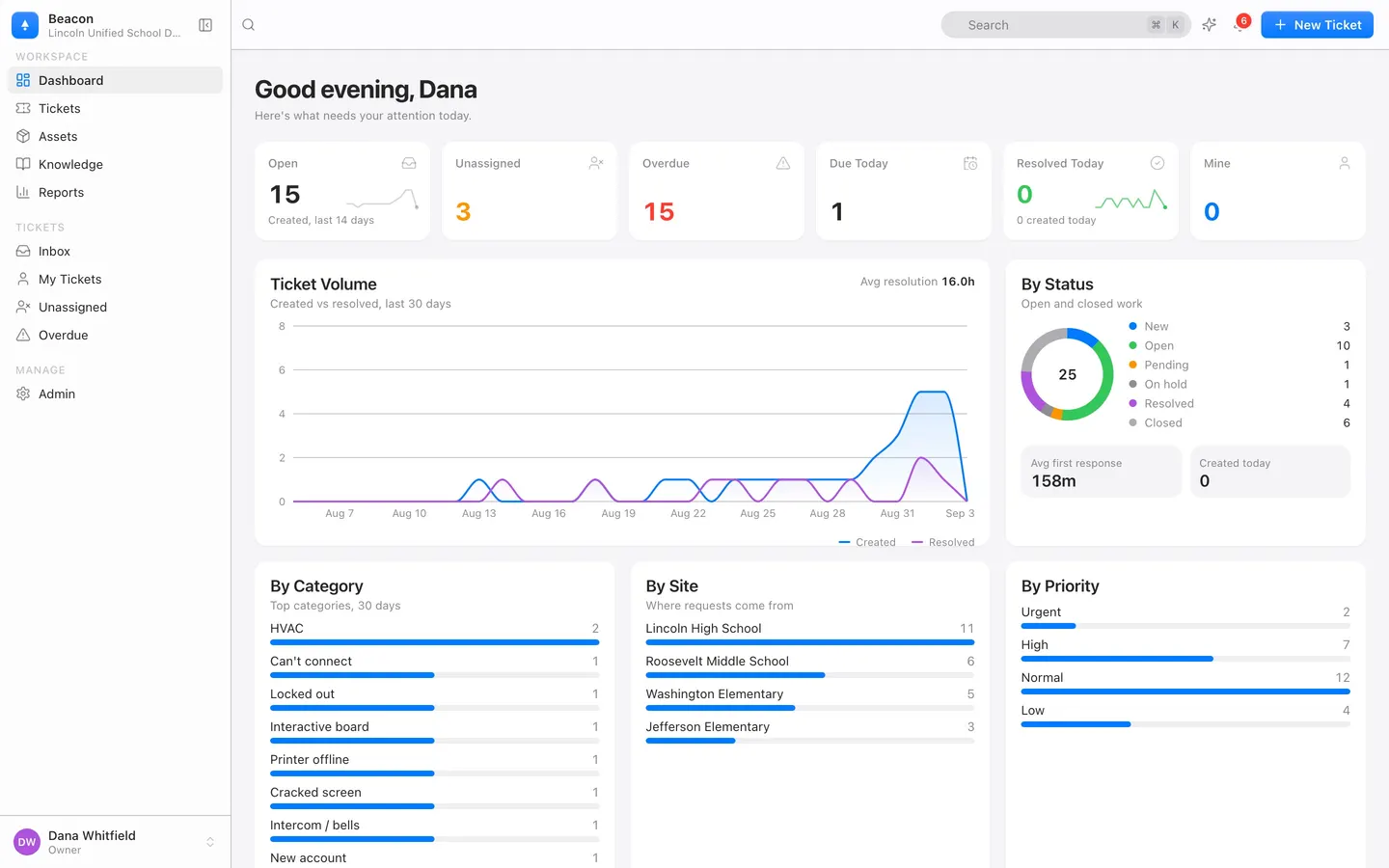
- Dashboard: open, unassigned, overdue, 30-day volume, by status, category, site, priority.
- First-response and resolution times, CSAT, SLA compliance, any date range.
- Warranties expiring within 90 days. Any ticket list exports to CSV.
Email to ticket
Staff can just email.
Every organization gets yourslug@tickets.beaconhelpdesk.com. Forward your help address and tickets open and thread on their own.
- Replies thread back through a signed address. Guessed ticket numbers cannot inject comments.
- Up to 10 attachments per message. Auto-replies, bounces, duplicates dropped.
- Accept anyone, or restrict senders to your domains.
Mobile web and iOS app
Scan. Know. Fix.
The web app works on any phone today. The iOS app adds a full-screen scanner and inbox.
- Scan a tag, open a ticket, check out a loaner.
- Offline changes queue on the phone and sync when the connection returns.
- Camera only while scanning or attaching a photo. No location collected.
The iOS app is in testing on TestFlight. Email hello@beaconhelpdesk.com to hear when your district can install it.
Single sign-on
Sign in with what you already have.
Google Workspace, Microsoft Entra ID, Clever, ClassLink, or any OpenID Connect provider.
- OpenID Connect with PKCE. Google and Microsoft turn on with one switch. No professional services.
- Users created on first sign-in, or synced nightly from Google Workspace or Microsoft Entra. How it works.
- Email and password stays, with argon2id, rate limits, and lockout.
Rosters from PowerSchool: staff and students with grade, homeroom and classes. Students from ClassLink or a OneRoster export. Clever: sign-in.
API and webhooks
Open by default.
The web and iOS apps use the same REST API you get.
- api.beaconhelpdesk.com/api/v1, with OpenAPI documentation at /docs.
- Keys with read or write scope, shown once, revocable.
- Webhooks for ticket, comment, and device events, signed with HMAC-SHA256. Server-sent events for live changes.
POST https://sis.lincoln.k12.ca.us/hooks/beacon
x-beacon-signature: t=1757600000,v1=9f2c…e41b

{ "event": "ticket.resolved",
  "ticket": { "number": 1042, "category": "Classroom Technology",
              "asset": { "assetTag": "PRJ-0042" } } }
Your data
Export any time. Delete for real.
Your organization owns its data. Take all of it with you, on any plan, including the free one.
- Settings → Your Data exports a JSON bundle. Reports exports tickets as CSV.
- Deleted tickets and their files leave storage. Delete the organization and backups roll off within 30 days.
- Admin → Audit logs every administrative action.
Details: security overview, security whitepaper.